
Modules - Threads
The Threads module allows your community to host structured discussions, similar to a forum.
Members can create discussion topics (“threads”), share ideas, ask questions, and reply to other members.
⚠ Important
Threads are created and moderated from the Medikka app, not from the App Builder.
The App Builder allows administrators to configure the module settings, while the actual discussions take place inside the app.
Install the Threads module Select Threads in the left-hand menu.
If you don't know how to add the thread module go to the App Configuration - Module tutorial
Configure the Module
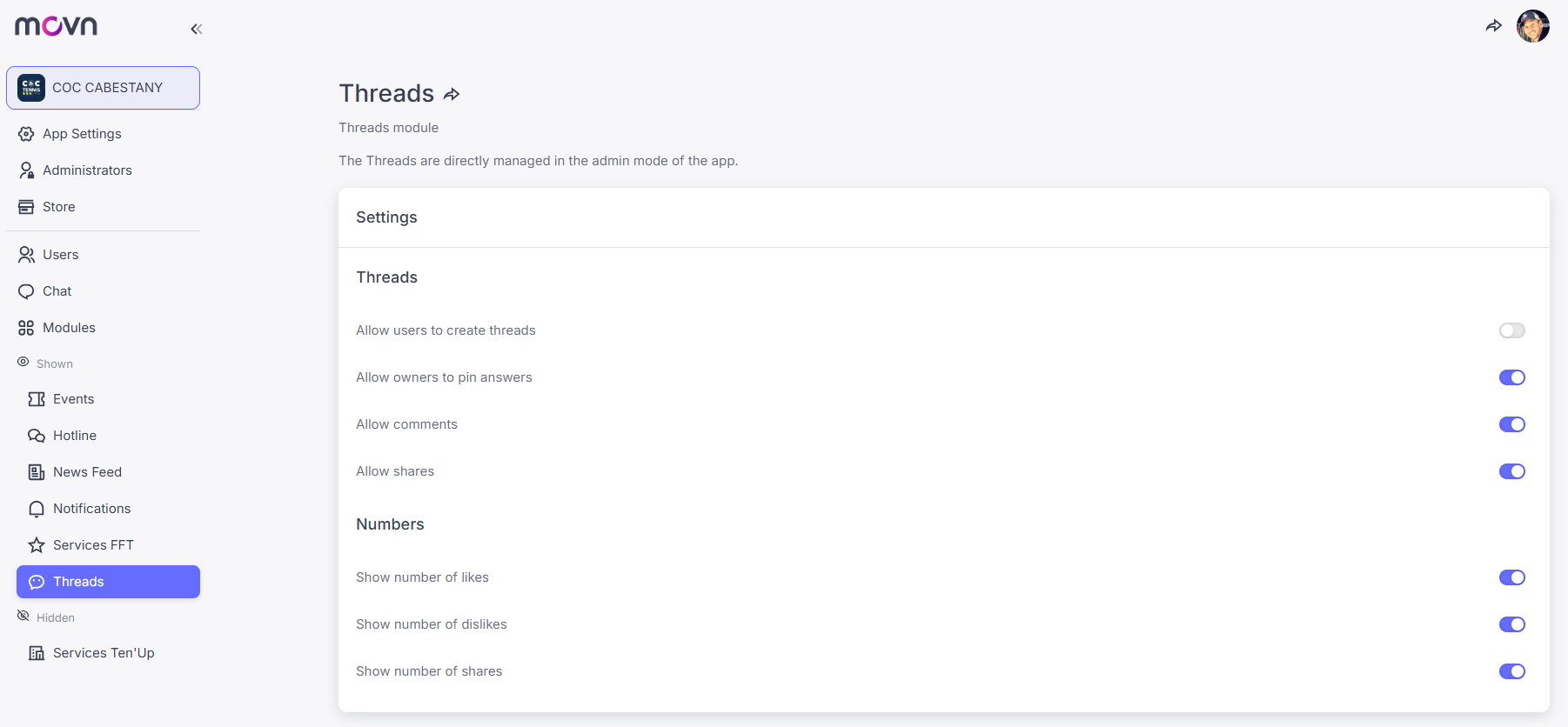
In the Threads settings, you can enable or disable different interaction options.
Simply switch on or off the options you want, then click Save Changes.
Thread Permissions
These settings control how discussions are created and managed.
- Allow users to create threads – members can start new discussion topics.
- Allow owners to pin messages – the author of a thread can pin important messages.
- Allow comments – members can reply to threads.
- Allow shares – members can share threads.
If the “Allow users to create threads” option is disabled, only administrators will be able to create threads.
Numbers Display
These options control which engagement metrics are visible.
You can choose to display:
- Number of likes
- Number of dislikes
- Number of shares
These indicators help members see which discussions generate the most engagement.
💡 Note: These settings can also be managed directly from the app in Admin Mode.
Create and Manage Threads
Threads themselves are created from the Medikka app.
Depending on your settings:
- Members can create threads directly from the app
- Or only administrators can create them
Administrators manage threads from the app in Admin Mode, where they can create, moderate, or organize discussions.
Step 1: Open the app and switch to Admin Mode
Step 2: Click on the + button on the bottom right of the screen
Step 3: Enter a title and a description of the thread. You can also enter a visual but it is not compulsory
Step 4: Click Save button
|
|
|
|


